Safezone Creator - Open Source
Product Features
Easy Zone Creator
Quasar Safezone Creator includes an extremely simple zone creator that allows staff to create safe areas directly in-game. No external editors or complex setup required. In just a few steps, you can define zone size, position, and behavior, enabling fast, clean, and fully optimized management for modern FiveM servers.
Blip Support
Each safezone created with Quasar Safezone Creator can optionally display a blip on the map, fully compatible with ESX, QB, QBCore and QBox servers. This allows players to clearly identify protected areas such as hospitals, police stations, or event locations. Blips can be enabled or disabled per zone, keeping the map clean and optimized for FiveM roleplay servers.
Multiple Zone Types
Quasar Safezone Creator supports multiple zone types designed for FiveM servers using ESX, QB, QBCore and QBox. You can create visual-only zones, zones that trigger notifications, or zones that automatically heal players while inside. This flexibility allows the system to be used for hospitals, events, tutorials, and protected RP areas.
Command-Based Creator
The safezone creator is launched using a simple in-game command, allowing administrators on ESX, QB, QBCore and QBox servers to create and edit zones in real time. This eliminates server restarts and enables fast deployment of temporary or permanent safezones, making it ideal for live events and active FiveM roleplay environments.
Entry & Exit Notifications
Quasar Safezone Creator includes optional notifications when entering or exiting a safezone on ESX, QB, QBCore and QBox servers. These notifications clearly inform players without cluttering the interface. Each zone can enable or disable notifications individually, allowing full control over player feedback in both realistic and arcade-style FiveM servers.
Full Standalone
Quasar Safezone Creator is fully standalone and works independently of ESX, QB, QBCore or QBox, while remaining 100% compatible with all
Shared by Modrelease Bot
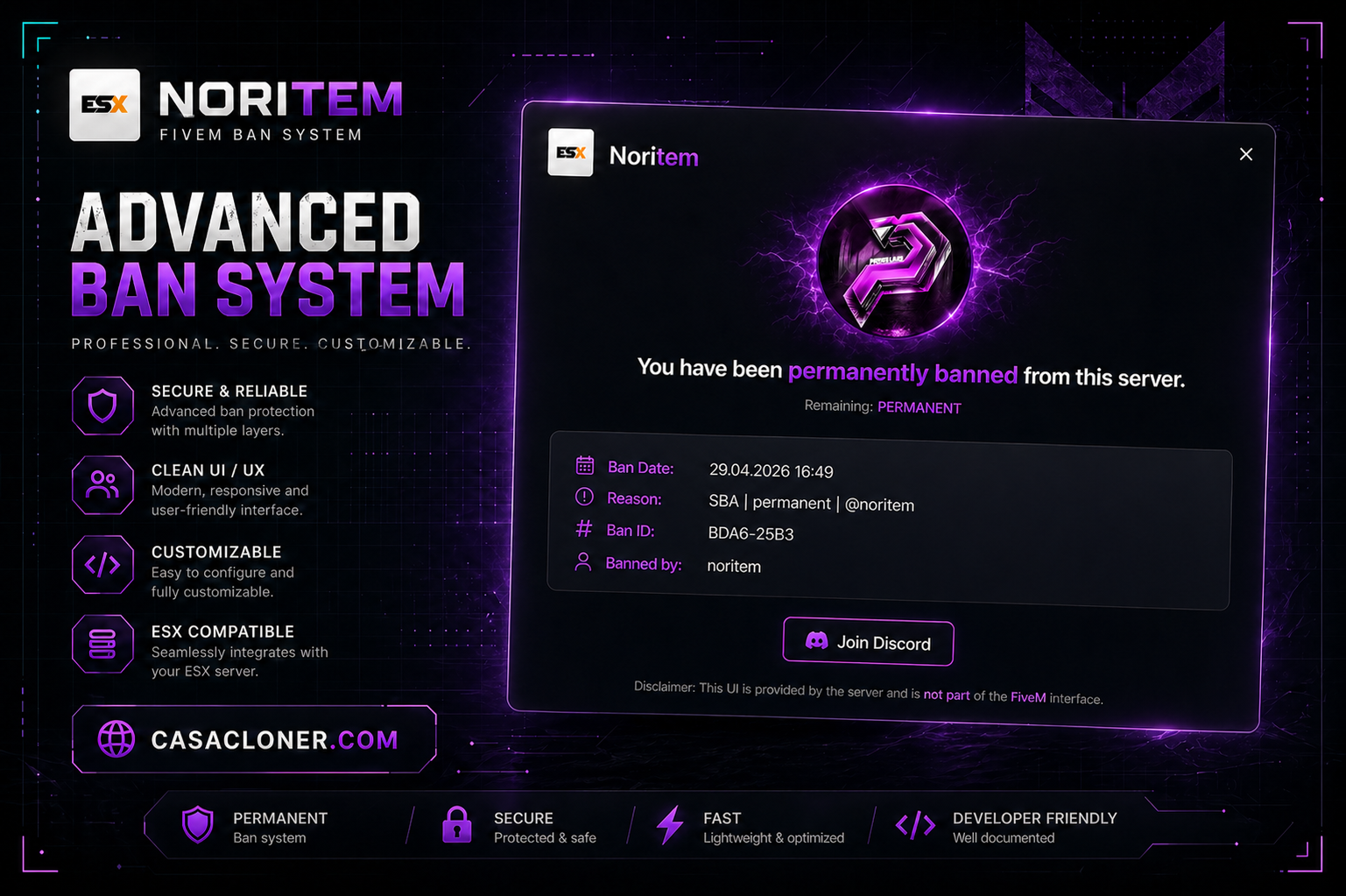
Ban Screen 1.0.0
Installation
1. Place the `ban` folder inside `resources/`
2. Add to your `server.cfg`: ensure ban
3. Open `config.lua` and set `Config.DbPath` to the full path of your `playersDB.json`
4. go to txadmin and /settings and disable ban checking
Configuration
All settings are in `config.lua`.
| Option | Default | Description |
|---|---|---|
| `Config.DbPath` | *(your path)* | Full path to txAdmin's `playersDB.json` |
| `Config.CardPath` | `'ban_card.json'` | Path to the Adaptive Card template |
| `Config.DateFormat` | `'%d.%m.%Y %H:%M'` | Date format for ban/expiry dates |
| `Config.PermanentLabel` | `'Permanent'` | Label in date fields for permanent bans |
| `Config.PermanentRemainingLabel` | `'PERMANENT'` | Label in the time remaining field |
| `Config.ExpiredLabel` | `'Expired'` | Label when a temporary ban has expired |
| `Config.StatusPermanent` | `'permanent'` | `{{statusType}}` value for permanent bans |
| `Config.StatusTemporary` | `'temporary'` | `{{statusType}}` value for temporary bans |
| `Config.FallbackKickMessage` | `'You are banned...'` | Kick text used when the card fails to load |
| `Config.DeferralMessage` | `'Checking ban status...'` | Message shown during the ban check |
| `Config.LogoUrl` | Discord CDN URL | Logo shown at the top of the ban card |
| `Config.DiscordUrl` | `'https://primeleaks.cc'` | URL opened by the Discord button |
Ban Card Template Variables
Available in `ban_card.json`:
| Variable | Description |
|---|---|
| `{{reason}}` | Ban reason |
| `{{id}}` | Ban ID |
| `{{author}}` | Admin who issued the ban |
| `{{date}}` | Date the ban was created |
| `{{expiration}}` | Expiry date or "Permanent" |
| `{{playerName}}` | Connecting player's name |
| `{{statusText}}` | `PERMANENT` or `TEMPORARY` (uppercase) |
| `{{statusType}}` | `permanent` or `temporary` (lowercase) |
| `{{timeRemaining}}` | Time left (e.g. `2d 4h 30m`) or `PERMANENT` |
| `{{logoUrl}}` | Value of `Config.LogoUrl` |
| `{{discordUrl}}` | Value o
Shared by Modrelease Bot